

Managing your business’s inventory levels is key to knowing how much and when to order more product. But things get more complicated when you have to manage inventory from different sales channels.
If you run an online store, you know how important it is to keep track of your finances. But e-commerce accounting is more than just tracking accounts payable and recording sales and expenses. It’s also understanding how your business operates, what drives your profitability, and how to plan for the future.
In this article, we’ll explain what e-commerce accounting is, how it differs from bookkeeping, and what tasks you need to start with. We’ll also share some best practices and tips to help you avoid common pitfalls and run your business with confidence.
How e-commerce accounting works and what it entails
E-commerce accounting is about managing the financial aspects of online businesses, encompassing sales, inventory, taxes, and reporting. It ensures accurate and efficient record-keeping, which is crucial for the successful operation and growth of any e-commerce venture.
Bookkeeping
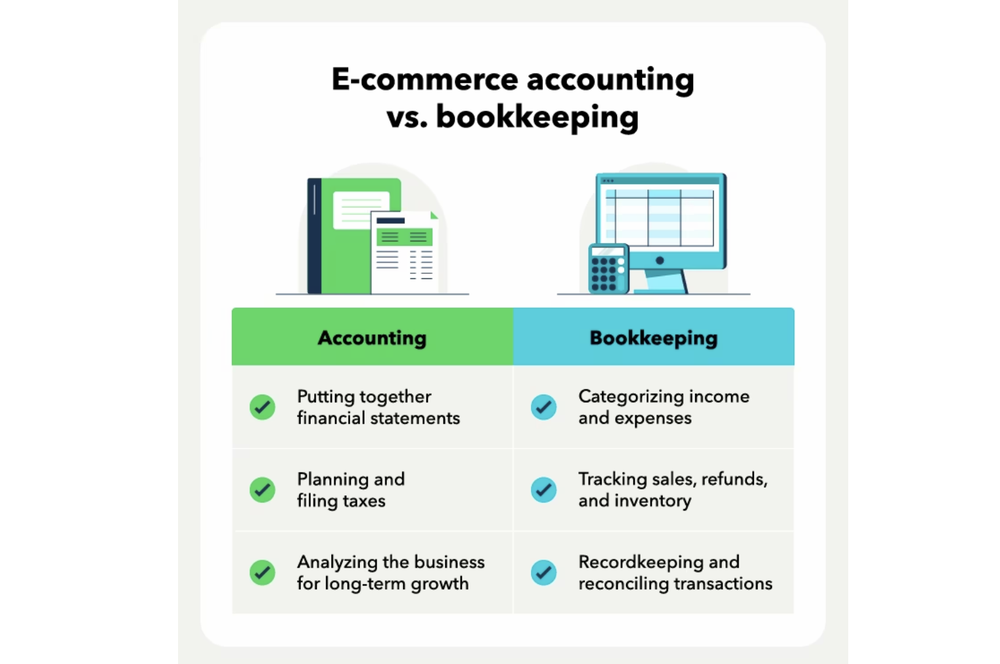
The e-commerce bookkeeping vs. accounting distinction is: E-commerce accounting is the process of tracking, analyzing, and interpreting financial transactions for your online store, while bookkeeping is the timely recording of transactions.
E-commerce bookkeeping handles day-to-day financial transactions. Examples of bookkeeping tasks include managing invoices, inventory, payroll, accounts receivable, and accounts payable.
E-commerce accounting looks at bigger-picture items like:
- Tax laws and regulations
- Financial statements and reports
- Business risk factors
- Strategy development
Bookkeeping is about collecting and organizing financial transactions. Accounting involves analyzing those transactions. A big part of that is assessing financial statements, such as the balance sheet, profit and loss statement, and cash flow statement.
Tax planning
Tax management for e-commerce stores can be difficult, but it’s much easier if you have accounting software to manage the process. However, you must still track and pay state and local taxes, as well as make tax-related filings, such as sending Form 1099 to contractors.
Sales taxes are usually the biggest headache. You will need to ensure you’re collecting and paying both state and local sales tax if it applies.
Staying on top of your e-commerce taxes means:
- Use the correct sales tax rates: You’ll want to ensure you are using the correct tax rates for customers to calculate sales tax, which depends on their shipping address. Many online store platforms will automatically calculate this for you.
- Pay your taxes quarterly: If you expect to owe more than $1,000 in business taxes to the IRS, you’ll need to make quarterly tax payments.
- Pay sales taxes: Make sales tax payments to the appropriate jurisdictions before the due date. Most have a monthly due date.
Cash flow planning
Accounting software will also help you plan for growth and manage your cash flow.
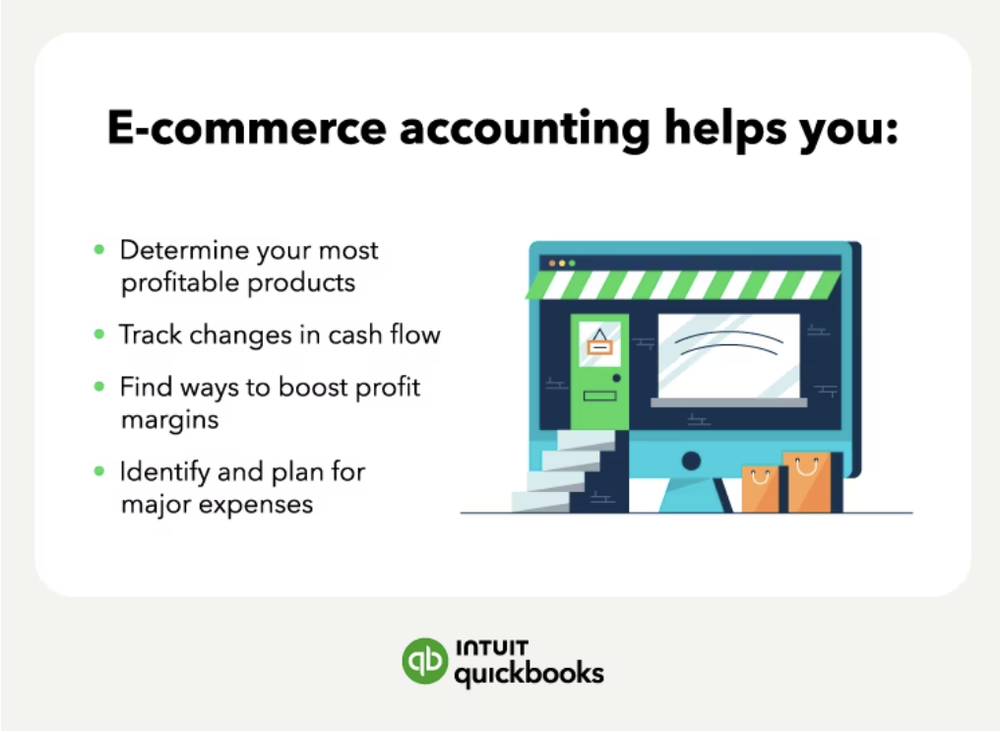
With proper e-commerce accounting, you can do such things as:
- Find and track recurring expenses
- Analyze cash flow patterns for seasonality
- Get inventory management tips and insight
- Budget for unplanned expenses
- Set long-term goals
E-commerce businesses can be seasonal, meaning cash flow will fluctuate. Maybe the holidays will bring in more revenue, or maybe it’s the summertime that does best. Either way, cash flow planning will help you manage the months when cash flow is lower.
How to set up your e-commerce accounting
Before you get started, you’ll want to complete these three e-commerce accounting tasks:
- Get a business tax ID number: The business tax ID is also known as an Employer Identification Number (EIN). You can get an EIN directly from the IRS. An EIN is kind of like a Social Security number for businesses.
- Set up a business bank account: Keeping your personal and business finances separate is an important aspect of business accounting. Many banks offer fee-free accounts.
- Choose an accounting software: Pick an accounting software for e-commerce businesses or one that integrates with online stores. For example, QuickBooks Commerce accounting software offers commerce accounting features that can automatically sync your online channel payouts to QuickBooks for faster bookkeeping
Once you have the three items above, you’ll be ready to set up your accounting for your e-commerce business.
1. Pick an accounting system
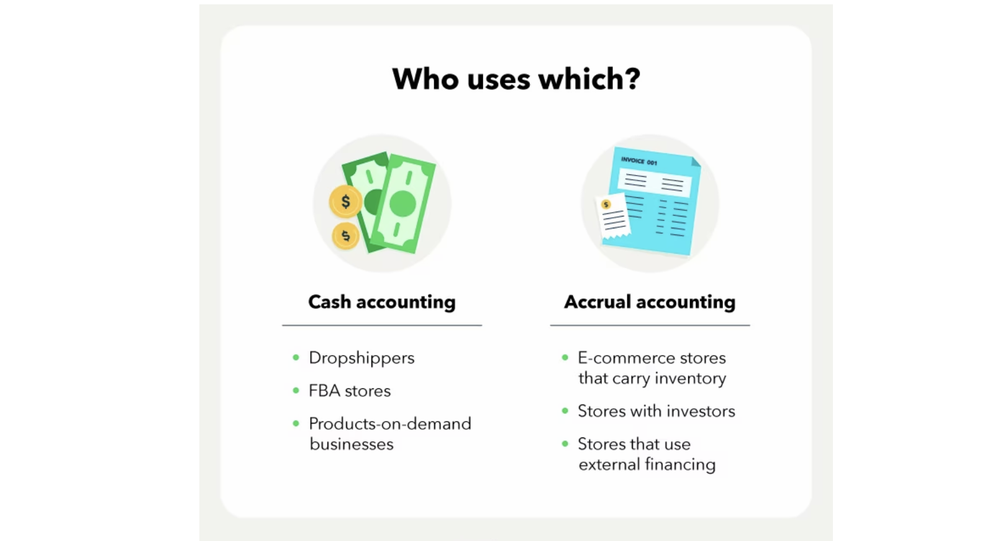
The first step in setting up your e-commerce accounting is to pick an accounting system. The two main options you have are cash accounting and accrual accounting. Although e-commerce accounting software will typically let you choose either method, many default to accrual accounting.
With cash accounting, you record income in your accounting software when you receive payment. Cash accounting does not allow for accounts payable or accounts receivable. Accrual accounting is an accounting method that records financial transactions when they are incurred, rather than when cash is exchanged.
Accrual accounting allows for a more accurate reflection of a company’s financial health by recognizing revenues and expenses when they are earned or incurred, regardless of when the cash is received or paid.
As well, investors and lenders will want to see more than just money in the bank, such as strong sales metrics. The choice between cash and accrual accounting can be personal preference, but most ecommerce stores operate on an accrual basis as sales channels will deposit to the bank account days/weeks after sales are made. Ultimately, you may want to speak to an accountant before deciding.
2. Categorize expenses
One of the most important aspects of e-commerce accounting is categorizing expenses correctly. This means assigning each expense to a specific category or account, such as:
- Cost of goods sold (COGS): The direct costs of acquiring, producing or manufacturing your products.
- Operating expenses: The indirect costs of running your online store, such as rent, utilities, marketing, software subscriptions, etc.
- Capital expenses: The costs associated with purchasing or improving long-term assets, such as equipment, machinery, and vehicles.
Categorizing expenses correctly means you can calculate the four ways to measure profitability, including the margins: gross profit margin, operating profit margin, and net profit margin. These metrics help you measure how profitable your online business is and how efficiently you use your resources.
3. Set a budget
Another essential task for e-commerce accounting is budgeting. Budgeting is the process of creating a plan for how much money you expect to earn and spend in a given period (usually a month or a year). A budget helps you:
- Set realistic goals for your online business
- Track your progress toward achieving those goals
- Identify potential gaps or problems in your cash flow
- Adjust your spending or revenue strategies accordingly
To create a budget for your online business, you need to estimate:
- Your expected revenue from sales
- Your expected COGS from inventory purchases
- Your expected operating expenses from running your online business
- Your expected capital expenses from investing in long-term assets
You can use historical data from previous periods or industry benchmarks to make these estimates. You should also account for seasonal variations in demand or supply that may affect your revenue or costs.
Once you have created a budget, you should compare it regularly with your actual results and analyze any possible variances. This will help you identify areas where you can improve performance or reduce costs.
Tips and tricks for e-commerce accounting
Setting up an e-commerce accounting system can be intimidating. But there are some tips and tricks for your e-commerce business:
- Automate where you can: Automating your accounting can save you serious time, but it also helps cut down on mistakes. Anything you can do to automate your business will also help reduce errors during tax time. That means ensuring your online store calculates sales tax automatically.
- Capture all your sales: If you manually enter e-commerce sales individually or in batches, make sure you’re entering them accurately. Many apps or sales platforms will connect directly with ecommerce accounting software like QuickBooks Commerce.
- Track key expenses carefully: Some of the biggest expenses for e-commerce stores are marketing spend, inventory purchases, and subscriptions.
- Reconcile often: Don’t delay reconciling your accounting books until the end of the year. Doing so increases the chances of making a mistake. Reconciling your books is where you’ll compare your accounting transactions with your bank or credit statements. Spend a few hours each month reviewing your finances and handling bank reconciliations.
Run your business with confidence
E-commerce accounting can be difficult. Many e-commerce business owners find it difficult to find accountants and bookkeepers with experience in e-commerce—and they’re intimidated by DIY accounting, using accounting software, or terms like the cost of goods sold.
With the right e-commerce accounting software, you can confidently run your online business, while also easily integrating your sales channels and platforms with your accounting software.
This article originally appeared on the QuickBooks Resource Center and was syndicated by MediaFeed.org.
More from MediaFeed:
11 women-focused business grants

Women are a core pillar in business, but in far too many cases women face inordinate challenges and find themselves behind their male counterparts based on several measures when it comes to business ownership and incomes. While there are many incredibly success entrepreneurs that come to mind when discussing women in business, women remain underrepresented at the workplace and often earn less than their male counterparts for the same work. These 11 grants are doing something to solve that problem. If you are a woman looking to start or grow a business, these female-focused business grants may be just what you need to get to the next level.

The Eileen Fisher Women-Owned Business Grant is one of the best known women focused grant programs around. Since 2004, this grant program has helped women-owned companies that are already beyond the startup phase expand their business, with attention paid to social and environmental impact.
Eileen Fisher is a women’s clothing brand, and it awards $100,000 in annual grants. Up to 10 recipients get at least $10,000 injected into their business. Learn more at Eileen Fisher.

The Small Business Association, or SBA, is responsible for the InnovateHER Challenge. This competitive process goes back to 2015, and awards three InnovateHER Challenge awards ranging from $10,000 to $40,000. Applicants go through a rigorous process, and ten finalists get major press coverage through the SBA.
InnovateHER is managed by the Office of Women’s Business Ownership, a great resource for any woman looking to start or grow a business. Learn more about the InnovateHER Challenge here.

The Amber Grant is a monthly $500 grant, with opportunities to qualify for larger grants in some rare cases. While the dollars are not as big as the five-figure award you may be after, every dollar counts. Women can apply at the Amber Grants for Women website, and winners are picked from a judging panel from WomensNet.
This grant started in 1998 when a 19-year-old young woman named Amber passed away before reaching her entrepreneurship dreams. The grant is designed to help women reach that same goal in her honor.

While the FedEx Small Business Grant isn’t exclusively for women, the sponsoring company makes a point to fairly distribute awards between men and women. 10 winners total take home a price, up to $25,000 for first place. Winners also get access to free FedEx Office print and copy services on top of their cash prize.
This grant recognizes “incredible small businesses from across the country.” If you are a woman that runs such a business, make sure to apply! Learn more at FedEx.

Idea Cafe offers grants of $1,000. The quick and easy grant application is highly competitive, but if you have a great business idea that is “ground-breaking or a simple, but yet creative solution to an everyday problem, [Idea Cafe] would like to hear about it.”
This one is not specific to women, like the FedEx grant, but is very friendly to women applicants. The last three winners are women, as a matter of fact. Learn more and apply.

The American Association of University Women, or AAUW, offers Community Action Grants for one or two year community-based projects. These grants are more focused on education than general business ownership and entrepreneurship, but if your business idea overlaps with any clearly defined activity that “promotes education and equality for women and girls,” you are in the running.
This grant is part of a long string of funding going back to 1972. As it comes from a women’s organization, it is only fitting that this grant is woman focused. Recent winners include programs like ECO Girls, a Michigan based organization that seeks to connect minority girls with the environment through a unique and exciting program.

The Cartier Women’s Initiative Awards seek to advance female entrepreneurs all across the world, including North America. They will review all applicants and choose 21 finalists, who will receive personalized business coaching prior to Awards week, media visibility, and a scholarship to attend the INSEAD Social Entrepreneurship 6-Day Executive Programme.
From the pool of 21 finalists, 7 laureates will be chosen and will each receive $100,000 in prize money along with one-on-one mentoring, while the 14 remaining will receive $30,000. Get more information and apply with Cartier Women’s Initiative Awards.

Open Meadows Foundation grants are biannual awards of $2,000. The grant is awarded to smaller organizations with an operating budget of under $75,000 per year. Grants are specifically for women-led projects that benefit women and girls.
The foundation looks for projects that are designed and implemented by women and girls, and focus on building community. Those with limited financial access have the best odds of taking home the prize. Learn more at the Open Meadows Foundation website.

This women-focused grant is also industry-focused. The Halstead Grant is an annual grant awarded to an exceptional jewelry designed working in silver. For 2018, the winner takes home $7,500 and $1,000 in supplies, plus a trip to Halstead’s offices in Prescott, Arizona.
This grant is certainly not for everyone, but it is great for women working with silver jewelry. If that sounds like you, learn more and apply.

A group of women investors came together to create 37 Angels. They recognize that just 13 percent of angel investors are women, and work to bring that to 50 percent. 37 Angels grants come with an accelerator program to bring your entire business to the next level.
While the capital inflow comes in the form of an investment, not a grant, it could be just what your business needs to grow and succeed. Learn more at 37 Angels.

Belle Capital offers investments in early stage, women-led companies. Like 37 Angels, they want a return on their investment. The Belle Capital fund is targeted to invest in 10 to 15 high growth companies. Like other venture capital firms, they want to participate and bring expertise to help the business grow. This is no handout.
Learn more at Belle Capital, including the strict investment criteria. They are looking for businesses that can reach $20 million in revenue within five years.

Women in business have more opportunities than ever before. With these grants, you have a little more ammunition to reach the next level in your business adventure. If you are looking for additional grant opportunities, be sure to read our list of small business grants for general audience.Keep in mind that business isn’t all about grants. While they help, remember to focus on your revenue, bottom line, and business credit score (check yours for free with Nav) to keep other borrowing and capital opportunities available to your and your business.
This article first appeared on Nav.com and was syndicated by MediaFeed.org.
Featured Image Credit: Tevarak/ istockphoto .