

Innovation can create new problems, and often even new industries. Two and half millennia after the invention of the wheel, we have traffic jams–made possible by the auto industry and Big Oil. That’s two industries right there. Fast food and high fructose corn syrup caused worldwide obesity, and gave rise to factory farming as well as the diet industry. (That’s two more!)
More recently, privacy has been a recurring issue when it comes to innovation, but it was a problem pre-Internet, as well.
Credit cards opened the door to overspending and account takeover as well as a host of privacy concerns around who gets to know your spending and bill-paying habits. Then there’s EZPass and FasTrak. Who doesn’t love automated toll roads? (Hint: People who don’t like being tracked.) The list is potentially endless, but no innovation has given rise to as many industries in the last fifty years than the Internet.
(Yep, the Internet is eligible to join the AARP this year!)
User privacy is an essential part of keeping your data and identity safe online; it’s something we talk about regularly on our podcast “What the Hack with Adam Levin.”
It’s no easy task to identify the 10 biggest Internet-related privacy failures masquerading as the next best thing since the World Wide Web, but here it goes.
1. Facebook
We all know Mark Zuckerberg started Facebook–now owned by Meta (how meta!)–in his college dorm room. And we all know the Zuck didn’t go to just any college. He went to Harvard. And of course his idea wasn’t just any idea, either. It became one of the most valuable companies ever.
While billions of us maintain accounts on Facebook, most people are aware that the company is no stranger to controversy. The meta-problem with Facebook stems from the product itself, originally built to help college students to get to know each other. A platform for self-expression and self-promotion of its users would be in a good position to sell all kinds of stuff to those users. It was just like TV, but a much more know-able, addicted and targetable environment.
“Getting to know” you is a process fraught with privacy issues. But Facebook took the position that “privacy” was synonymous with “marketing data.” That was the company’s value proposition.
The company’s insatiable appetite for data only grew. It got data about us from third parties like Spotify. Then it expanded by making itself the easiest way to access apps. The only catch: Facebook got all the information associated with the use of that app, and of course they sold access to it–bundled with all the other things they knew about you–to anyone looking to serve you a laser-guided ad.
The company is reputed to know when you’re going to experience a major life event long before you know it. Not exactly what those first college-age beta testers signed up for.
2. Google
In 1998, the world changed forever. Theatergoers were introduced to young Anakin Skywalker, a cute space kid destined to use the dark side of the Force to menace the universe and, in a similar vein, a useful little site called Google was launched.
Originally developed as an algorithm to share academic research, the company found a different, far more profitable groove: Search.
Google’s search engine was instantly legendary. It destroyed the competition, a rogue’s gallery of unknown companies to today’s digital natives: Try asking a Gen Y kid about Alta Vista, Metacrawler, Lycos, Yahoo Geocities, Excite or the host of other would-be portals to the Internet that people used in the late 90s. Google won because it was better. Search results were as close to real time as one could hope, and you could literally find anything.
With inordinate power comes massive responsibility–or at least that’s the hope. Google introduced a motto to help it navigate the moral murk of its mission to dominate the trafficking of information online: “Don’t be evil.”
Having dominated search, the company got busy adding new, powerful, and mostly free services including GMail, Google Maps, Google Photos and Google News. All of them harvested user information and used it to micro-target advertising but they also used our data to create new services. They knew what we wanted because of Google Search. Next came the Chrome browser, which gave Google even more information about us as it integrated everything from password management to payment information. Soon it was a near-impossibility to go online without coming into contact with Google.
When Google retired the “Don’t Be Evil” motto there was no ceremony because the company had become the Death Star-eating antichrist of consumer privacy.
3. Smartphones
When the first truly functional smartphones hit the market, it was exciting. Landlines were already headed for extinction, and it was really difficult to text on a flip phone. Having access to a pocket-sized computer with an easy interface that could take dictation as well as photographs and video all the while surfing the web and finding you great driving directions…who wouldn’t want that?
Smartphones prove a universal truth about awesome digital innovation: When it’s really good, there’s always a catch.
The features that made smartphones a must-have item collected user information–and they did it more effectively than Google and Facebook. Location tracking services and apps are the bread and butter of the digital marketing space. Loyalty store apps and banking apps reveal granular details about the things you buy. That handy camera has a default setting that snags hyper specific information every time you snap a picture, and your wireless provider keeps records detailing every phone call and text coming and going to and from your device.
Here’s the deal: Smartphones are the digital equivalent of a zoologist’s tracking tag. On our person each and every day allowing service providers and device manufacturers alike to compile enormous amounts of data on nearly every aspect of our lives. It really makes you wonder: Was it that hard to send a text on a flip phone?
4. Voice-Activated Digital Home Assistants
Robot butlers are pretty common in utopian sci-fi, but only recently are they available to the average consumer and totally affordable. While voice activated home assistants can’t serve you breakfast in bed, they can get your breakfast delivered.
Being able to dim the lights, play music or choose a movie from the comfort of your recliner is pretty awesome, as is having an always-on device to call 911 when trouble is detected. There is absolutely nothing to complain about when it comes to these perks of owning a digital home assistant device.
The problem isn’t the machine, but what it’s connected to. Big data companies like Google, Facebook (Meta) and Amazon dominate the field. These companies and others have invested enormous amounts of time and money into developing a way to get a constant and detailed data feed about user behavior. Having an always-on microphone and camera in your living room is the ideal way to do that. It’s one of the reasons these devices are so affordable. They’re effective tools in the non-stop money grab known as the surveillance economy.
Until a company with strong privacy bona fides can offer a secure alternative to the voice-activated assistants currently on the market, it’s worth your while to get up from your chair and flip that light switch the old-fashioned way.
5. Smart IoT devices
A home filled with Internet of Things devices–any sort of connected appliance really–is a big deal these days, and very big business. There are tens of billions of IoT devices connected to the Internet and the number grows daily.
When it comes to IoT, if something is a part of daily life, the way it works has been digitized. Coffee makers, home heating and cooling systems, swimming pools, cars, lights, appliances of all stripe can now be controlled from an interface on your computer or smartphone. There’s nothing out there that hasn’t been connected (including bowling balls and chastity belts).
While this may conjure images of a cartoon character getting ejected from bed into a pressed suit, dumped down a chute into a chair, where freshly brewed coffee awaits, it would be more accurate to imagine your most intimate and sensitive private information displayed on a billboard.
We’ve all heard the stories about poorly protected IoT devices that come fully functional with default passwords like “Password,” “CoffeeTime” or that old tech crowd favorite “admin.” Perhaps you remember the health trackers that allowed anyone in a person’s network to see when they last made whoopie, or the sex toy that kept its data in a publicly accessible database?
The whizzbang offered by IoT can have a kaput effect on your reputation. It can also leak details about your life to third parties who exploit that data to sell you more stuff.
It’s not exactly true to say that IoT came with unintended privacy issues, since the privacy grab was built into many of the devices that allegedly improve life or make things easier. If you want a connected device, make sure the manufacturer is playing by rules you can live with, and has some semblance of privacy protection in place.
6. Remote Desktop Software
Anyone who has worked in IT or tried to walk a less-than-tech-savvy relative through a printer problem over the phone knows why remote desktop software rocks. Everyone who’s been tricked into providing a stranger access to their computer using that software knows there’s a downside.
Remote desktop software creates a digital tunnel for a third party (your tech-savvy relative, a hacker) to take control of your mouse and troubleshoot on your machine from somewhere else–anywhere else, which is exactly the problem with this software. Taking full control of another person’s computer is cool, especially if you are a scammer.
A number of scams exist that take advantage of this simple technological advance. It could be a phishing email or text, where a threat actor leads you to believe that there’s a problem on your machine and requests access to fix it when the only thing they do once they’re in your machine is steal credentials and otherwise compromise your digital life.
But that’s not the only issue. “Free” remote desktop products can collect information from devices, especially if the software is not un-installed once the remote work has been completed. Outdated or subpar remote desktop software that doesn’t use end-to-end encryption could allow information relayed from one computer to another to be intercepted by a hacker.
If you’ve downloaded remote-access software, uninstall it. While you don’t need it anymore, there’s a chance it needs you, or at least whoever put it there is enjoying free access to your computer.
7. Public Wifi
You may not believe this, but not so long ago there was no Internet. How did people communicate? Payphones, shouting, carrier pigeon, hand gestures, Morse code. When access to the internet became something consumers could buy into, it was slow and required a landline.
Wifi for the non-digital native was the closest any of us had ever gotten to an experience of magic in the world. Wifi takes an internet signal and broadcasts it through radio waves. As long as your device is within range of a wireless router and is able to connect to it, you can use the signal to go online. Public Wifi is awesome. Right?
Sorta. In much the same way that multiple people can listen to the same radio station, an unprotected Wifi connection means that, at least in theory, the information you’re sending and receiving can be tuned into (intercepted, accessed, exploited) as well. It’s technical, but all you need to know is that there are some really evil nerds out there, and they use public wifi in a way that flies in the face of the convenience it’s supposed to offer. Also: If you’re using XYZ Company’s free wifi without a VPN to encrypt your activity, they have access to and will probably sell that data.
Would you talk about your most private issues, or divulge your bank balance out loud at a dinner party? Probably not, but whenever you use public wifi without a VPN, you’re communicating with strangers at a party.
8. Online quizzes
What color is your aura? Which Disney princess are you? How well would you do if you were “playing” Squid Game? What kind of pastry would you be if you lived in Iceland?
Online quizzes seem like a fairly anodyne distraction. No doubt they can be fun so long as you don’t take the results too seriously. (After all, only some of us can be smarter than Einstein.) So what could possibly be wrong with a stupid online quiz?
Investing a few minutes of your time during a coffee break to confirm your suspicions about which house the Sorting Hat would choose for you in a Harry Potter novel shouldn’t cause any real compromise, but it does.
By providing a thousand little details about your likes, dislikes, inclinations, emotional states, background and intelligence level, you’re helping quiz sites assemble a more nuanced mosaic of who you are — the sort of information that data companies use to target ads. When you share the link to the quiz with a friend, you’re explicitly letting them know more details about your social circle. You may even be giving away answers to security questions on your accounts.
If you want to know what breed you would be if you were a dog, just go to your local animal rescue and ask them. But bring a leash, because they’ll try to get you to adopt it.
9. Health trackers
We all know getting more exercise is important. Every additional step you take during the day can increase your lifespan and your happiness. A quick stretch during the workday not only helps keep the blood flowing, it can lead to greater productivity.
Good health doesn’t have to be hard. It just requires a lot of repetition and stick-to-it-iveness, and the best health tracking programs are great at that.
Wearable trackers and apps buzz and vibrate when it’s time to get a move on or sit up straight; they track your vital signs, keep tabs on your weight and provide an interface for logging your diet. It’s exactly what the doctor ordered for many of us, and doctors do indeed prescribe the use of these services to their patients.
Here’s the rub: That data is valuable to a wide range of data-driven industries. If you get in the habit of running a few miles a day, you’re probably an ideal target for an ad for running shoes. If you never seem to get up off the couch, a life insurance company would probably like to send some memes your way.
Data companies have done their utmost to get as many details about your lifestyle and habits as possible; providing them with a 24-7 running account of your biological processes gives them a sizable, and intimate, piece of the puzzle.
This reality might explain why Big Data buys information from menstrual cycle apps, Google just acquired FitBit, and you keep getting ads for Spanx.
10. Facial recognition
Passwords are a pain to keep straight. Getting codes sent to your phone each time you log into an account is tedious. ID cards get lost. Wouldn’t it be nice if we could just look into a camera and get authenticated? After all, most of us are going to have the same face for the foreseeable future.
Facial recognition professionals are glad you feel that way. The original promise made by this particular branch of biometric authentication was a quick and easy way to prove you were you, no cumbersome passcodes or thumbprint scanners.
Companies and government agencies quickly jumped on board: Microsoft’s Xbox consoles automatically logged users into an account once their face was identified by an on-board camera. Apple’s iOS devices use facial recognition as a default security feature. Immigraton officers around the world use the technology to speed their work.
What makes facial recognition so convenient is the same thing that makes it feel like an Orwellian nightmare: It doesn’t require you to do anything other than have a face — cameras and AI do the rest. Once your face is turned into a data set, any internet-connected camera can let a third party know when you walk through the door. Maybe that’s why Meta, just dropped its use of facial recognition on its flagship site, Facebook. (They’re expected to continue to use it within their Orwellian ecosystem of “metaverse” products.)
It’s not just about stopping Jason Bourne at the airport. That late-night beer and Twinkie run he made on his way to exposing black ops are now part of his purchase profile. There is nowhere to hide.
This article originally appeared on AdamLevin.com and was syndicated by MediaFeed.org.
More from MediaFeed.org:
50 ways to avoid hackers over the holidays

The holiday season is the most wonderful time of the year for scammers. And like everything else in 2020, these next few weeks promise to be a disaster.
According to Adobe Analytics’ recent holiday forecast, online sales are projected to surge 33% year over year to a record $189 billion as “Cyber-week turns to Cyber-months” amid the ongoing COVID-19 pandemic.
This prolonged season of online shopping (and stress) will provide ample opportunity for phishers, smishers, vishers and identity thieves to pilfer your valuable personal and/or payment information. So, whether you plan to shop on the web or a brick and mortar store, extra vigilance is warranted. Here are 50 ways to avoid getting scammed during the holidays — and beyond.
AntonioGuillem / istockphoto
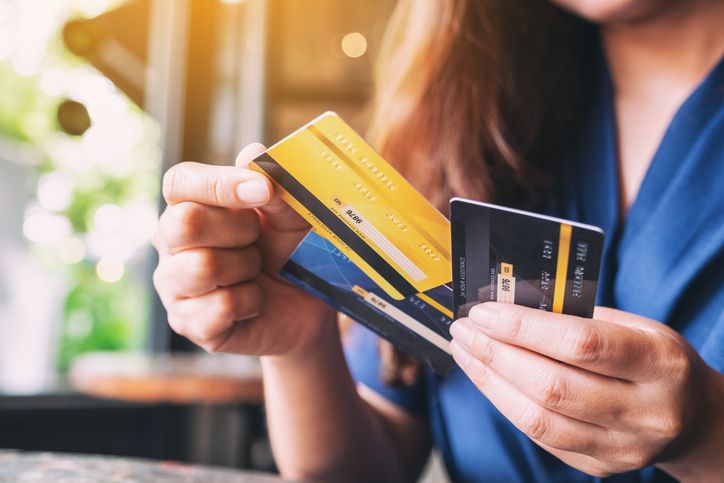
Credit cards offer markedly better fraud protections than debit cards, which connect directly to your bank account. Many credit cards also offer ancillary protections, like purchase protection, price protection and extended warranties.
Farknot_Architect / istockphoto

Mobile payment platforms, like Apple Pay and Google Pay, use advanced technology, like fingerprint authentication and tokenization (in which credit card account numbers are replaced by randomly generated numbers) to provide brick-and-mortar shoppers with an added layer of security. Virtual credit cards similarly allow online shoppers to mask their financial accounts.
DepositPhotos.com

No matter your payment of choice, check bank and credit card statements daily for suspicious or erroneous charges.
artisteer / istockphoto

Many financial institutions offer free transaction alerts that notify you when charges hit your account. These alerts can help you quickly spot fraud.
DepositPhotos.com

If you notice something that shouldn’t be on your bank or credit card statement, call your bank, credit union or credit card company immediately to dispute it. Immediately cancel all compromised cards and request replacements.
Milkos

Never provide your payment information to anyone who calls you. Instead, hang up and contact the company directly to handle all transactions.
DepositPhotos.com

Be similarly wary of turning over your address, phone number or, worse, Social Security number, to unsolicited callers. (It’s worth noting that there’s no reason a legitimate retailer would need that last one — the skeleton key to your identity — to process a purchase.)
KenTannenbaum/istockphoto
Make sure your smartphone, tablet and laptop are password-protected, particularly if you’re in the habit of carrying them around wherever you go.
DepositPhotos.com

Popular browsers, like Safari or Firefox, frequently issue updates to protect against scams. (Think of Google Chrome blocking you from visiting a suspicious website.) Make sure you have the latest version to protect yourself against new or emerging threats.
DepositPhotos.com

Protect yourself from malware by purchasing, updating, and upgrading antivirus software. Malware is malicious software designed to harm devices or glean data to commit identity-related crimes.

Stick to shopping when connected to your private Wi-Fi network as public Wi-Fi is a hotbed for criminal activity any time of year.
DepositPhotos.com

If you have to connect to the internet using a public network, do so with a virtual private network. VPNs encrypt data, making it much harder to intercept when transmitted through a shared or suspect internet connection.
Depositphotos

Keep purchases concentrated to a one-to-two week window, if possible. Shop at reputable and recognizable retailers.
DepositPhotos.com

If you’re shopping at a retailer that is new to you, research the company’s standing on the Better Business Bureau website. You can also check a site’s status via Google’s Transparency Report tool.
DepositPhotos.com

Scammers aren’t exactly known for their five-star ratings. If a purported company has a bevy of bad reviews — or no reviews at all — consider that a cue to take your business elsewhere.
DepositPhotos.com

Minimize the odds of getting price-gouged by legitimate and illegitimate retailers alike by comparison-shopping across trusted websites before making a purchase.
DepositPhotos.com

While shopping, check that a website url starts with “HTTPS” (vs. HTTP). This designation signifies that the site has a Secure Sockets Layer (SSL) certificate. SSLs ensure all data is encrypted.
DepositPhotos.com

A green or gray padlock icon in your browser’s address bar also indicates that information, like credit card numbers, is encrypted when transmitted.
DepositPhotos.com

Typos are a surefire sign of fraud. Check urls for slight modifications to a popular retailer’s name. (Think “amazn.com” or “banofamerica.com”.) You can hover your mouse over links in emails to see full urls without having to click on them.
DepositPhotos.com

A strong password contains a random collection of uppercase and lowercase letters, numbers and symbols or a series of disassociated words, numbers and characters.
filistimlyanin / istockphoto

Never use duplicate usernames or passwords across any of your online accounts to limit your exposure in case of a data breach.
istockphoto

Conduct a password audit before you start your holiday shopping — and after, to decrease the odds of getting hacked after the holiday season is over.
Credit: Tero Vesalainen / istockphoto

Most online accounts allow users to enable two-factor authentication, or 2FA, which requires someone to login in with a password and a secondary credential, like a one-time code sent to a cell phone. Consider 2FA the equivalent of a lock on your front door: It won’t guarantee protection for your possessions, but it will provide a fair amount of security with minimal effort.
DepositPhotos.com

Online auto-pay options or auto-fill settings are certainly convenient — but they’re also risky, leaving your credit or debit card information vulnerable to thieves if they compromise whatever protections you have in place.
DepositPhotos.com

This fine print can provide valuable information regarding the data a site collects, how it’s protected, how they use it and who else has access to it.
Depositphotos
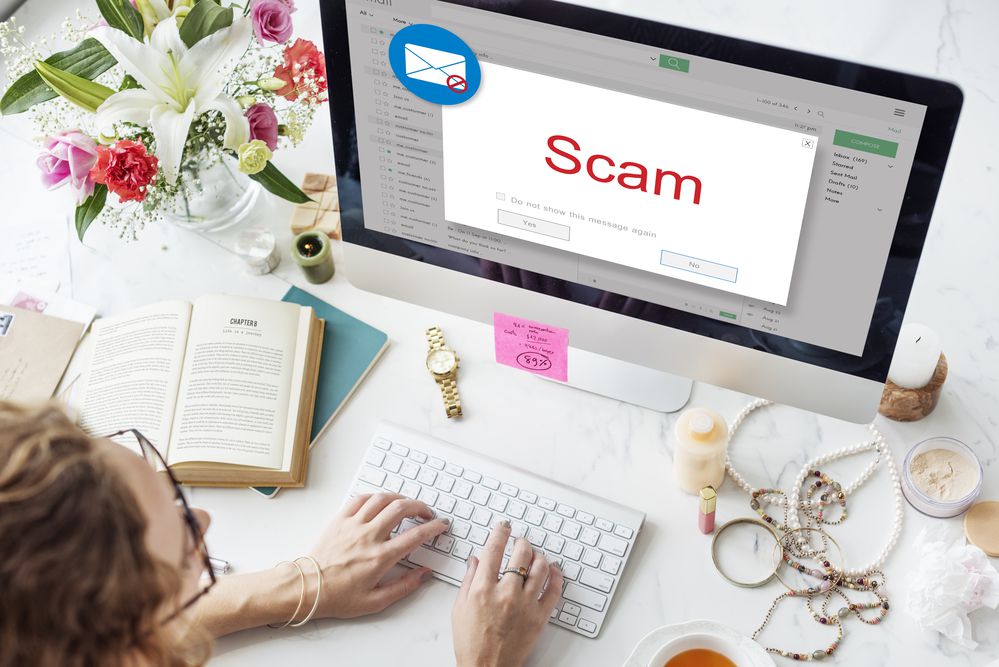
Malvertising occurs when criminals hide malicious code in ads on legitimate websites. Common schemes include pop-ups advertising free goods or services in exchange for filling out a survey or warnings that your device has been infected.
DepositPhotos.com

You can minimize exposure to malvertising by using an ad blocker, disabling Flash and Java and keeping all software systems updated.
Alina Rosanova / istockphoto

If you walk into a store, keep your purse and/or wallet close. Never leave it in your shopping cart, car or even a back pocket.
TongTa // istockphoto

Be equally vigilant about traveling light: Carry one card for charging your holiday purchases. Leave cash, your checkbook and your Social Security card at home (in a secure location, of course).
DepositPhotos.com

Thieves are known to install skimmers, devices intended to pilfer payment information and PIN codes, wherever and whenever possible. To mitigate risk, avoid non-bank ATMs, particularly if they’re outside or in areas with little foot traffic, and scan all machines for signs of tampering.
DepositPhotos.com

Memorize your PIN number instead of writing it down on your card or keeping it in your wallet. Never let a store clerk enter your PIN code for you. Do it yourself. Place a sticker over your credit card’s CVV code, that tiny three-digit number on the back of your card at the end of the signature box.
Deposit Photos

Compare the totals to the charges that appear on your credit card statements.
industryview / istockphoto

Criminals often steal account codes from gift cards that are easily accessible, so look for signs of tampering before purchasing one. It’s advisable to purchase gift cards close to Christmas and encourage recipients to use them right away.
CentralITAlliance/istockphoto

There’s a chance the unsolicited offer in your inbox is a “phishing” scheme. “Phishing” occurs when a scammer poses as a legitimate company or website in an attempt to get their targets to click on a link that prompts them to enter personal information or downloads malware onto their devices.
DepositPhotos.com

Retailers will never send an unexpected attachment. If you receive an email from a seemingly legitimate retailer that contains an attachment, close the email and call the retailer directly.
DepositPhotos.com

Phishing schemes don’t only travel by way of email. Avoid clicking on links in unsolicited texts, especially if the deal they’re touting seems too good to be true.
DepositPhotos.com

In one of the tried-and-true scams of Christmas, fraudsters phish by sending their targets texts or emails about “delivery issues” or false-shipping notifications. Contact the sender directly if you get one of these communications.
DepositPhotos.com

Avoid delivery issue scams by tracking your shipments via confirmation emails or password-protected online accounts.
DepositPhotos.com

Dissuade porch pirates from stealing deliveries by installing a security camera or smart doorbell.
Depositphotos

Security cameras are a deterrent, but not a failsafe. Thwart thieves by having items shipped to a nearby store that offers contactless curb-side pickup. You can also have packages held at your local post office or, for example, stored in an Amazon Hub Locker.
arlutz73/istockphoto

Steer clear of freebies, discount codes, e-vouchers and sweepstakes making the rounds on social media. They’re often designed to harvest valuable personal information.
DepositPhotos.com

Back in 2016, hundreds of fake retailer apps flooded Apple’s App Store just in time for the holiday shopping season. The apps were ultimately removed, but scammers are still known to slip into the App Store or Google’s Play Store from time to time. You can avoid downloading a counterfeit app by checking the developer’s or company’s name for misspellings or typos, reading reviews and accessing the app via the company’s official website.
DepositPhotos.com

They are a scammers’ modus operandi. Be equally dubious of any sellers or resellers asking you to pay via a gift card.
BrianAJackson / Getty

Scammers will tug at your heartstrings via charity scams at all times of the year, so pause before giving. Instead, visit the organization’s website by manually typing in its URL or using search to find the link. You can also use Charity Navigator to confirm an organization’s authenticity.
LemonTreeImages / istockphoto

It bears emphasizing: You can skirt most online shopping scams by ignoring unsolicited links and verifying any deals, steals and promotions directly with the retailer.
Choreograph / istockphoto

Identity thieves make a living piecing together profiles or figuring out passwords by looking at photos, geolocational data or other seemingly innocuous information shared via social media platforms.
DepositPhotos.com

Online wish lists are designed to let your friends and family know what you want for Christmas, but they also provide scammers with an aggregate of your interests. Resist the urge to create one — or, if you must, adjust your privacy settings so that only particular people can see it.
Depositphotos

A best practice any time of the year, never discard full bank or credit card statements in the trash. Identity thieves go through garbage in the hopes of obtaining payment or personal information.
PhotoBlink / istockphoto

Unfamiliar accounts on your credit report could be a sign of identity theft. You’re entitled to a free credit report from each major credit reporting agency every twelve months — and due to the COVID-19 pandemic, the bureaus are offering free weekly online reports through April 2021. You can request these reports from AnnualCreditReport.com.
Depositphotos

Spread awareness by reporting any scams you encounter to the Federal Trade Commission. If you fall victim to fraud, file a police report and register a complaint with the Federal Bureau of Investigation’s Internet Crime Complaint Center (IC3).
Identity-related crime doesn’t have to ruin your holidays or your life. Many insurance companies, financial services organizations and employers offer cyber and identity protection products and services as a perk of your relationship either for free or at a deep discount.
Before you have a problem, it’s a good idea to contact your insurance agent, bank or credit card rep or the HR Department where you work to find out if they offer it, if you are already enrolled and if not, what you need to take advantage of it.
This article originally appeared on AdamLevin.com and was syndicated by MediaFeed.org.
ismagilov / istockphoto
Featured Image Credit: Getty / AdamLevin.com.